1. Quick Start Circuit
Start HereA|T Sleep works best when every piece of the sleep circuit is in place: your account, the app, SleepStax, your compatible bed, and at least one supported health source.
Important: A|T Sleep does not require a Sleep Number or SleepIQ account. A compatible Sleep Number bed is required only when you want A|T Sleep to control bed pressure or smart inflation.
2. Account And Profile
PersonalizationYour account connects the app, website dashboard, SleepStax, wearable sources, Sleep Intelligence, store orders, and support history.
Mobile App
Billing is handled on the website: the mobile app is for setup, sleep data, alerts, and bed controls. New hardware customers choose service and complete secure billing through the A|T website before using the app.
Website
New Hardware Purchase Onboarding
For new hardware purchases, checkout creates or links your A|T account and asks you to choose the service plan that should apply after any included comp period.
Why the profile questions matter: age, height, weight, sex, medications, symptoms, sleep schedule, and health context help A|T Sleep understand what is normal for you. Better context reduces false alerts, improves reports, and helps the system notice changes that actually matter.
3. Set Up SleepStax
Bed ControlSleepStax lets A|T Sleep control supported bed pressure and smart inflation. It is part of the bed setup circuit and should stay connected to the compatible Sleep Number bed pump/controller connection.
If SleepStax was already used on another account, contact support before moving it. A|T Sleep only supports registered SleepStax units tied to the correct customer account.
4. Add AltSleep Rings
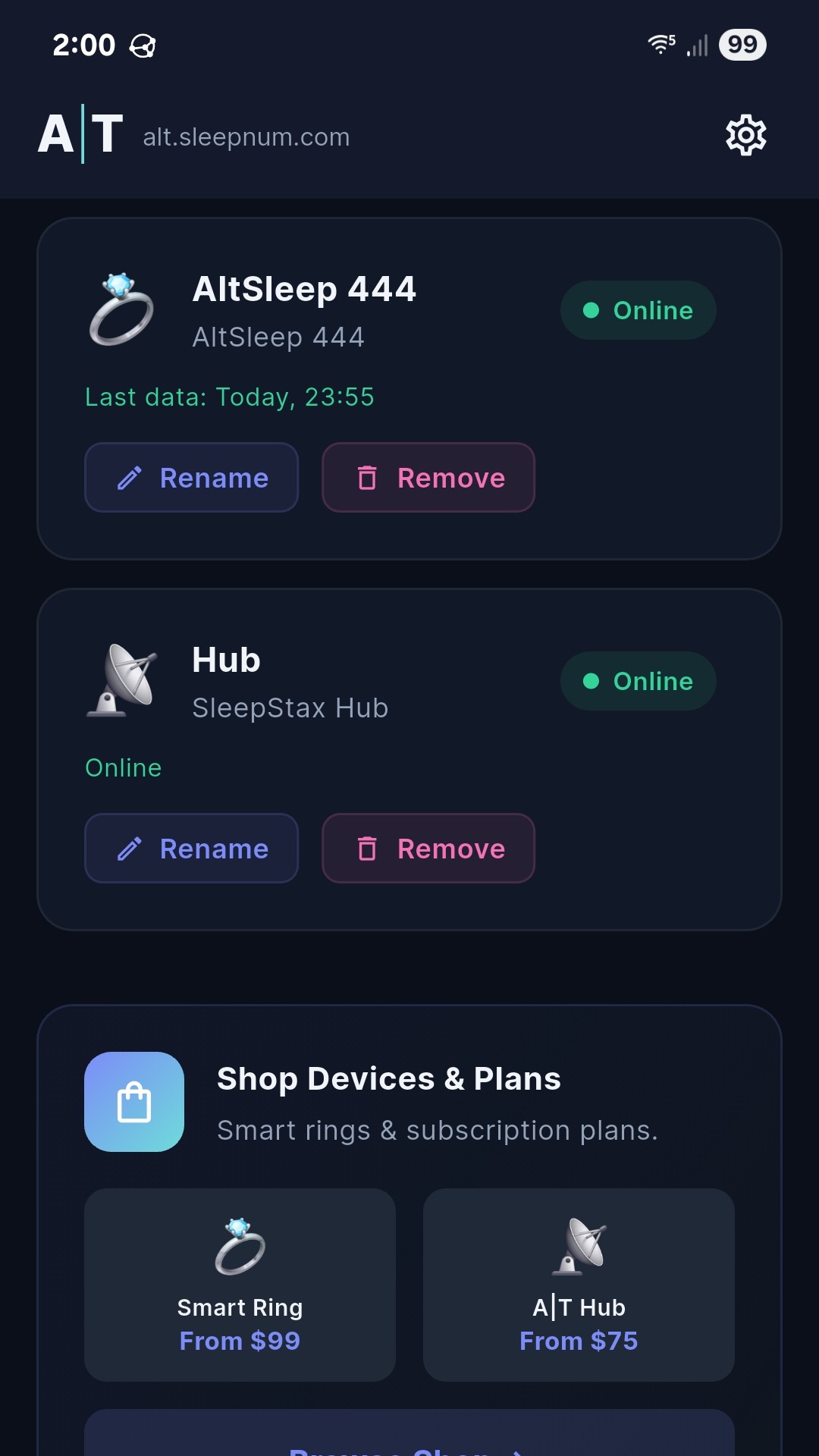
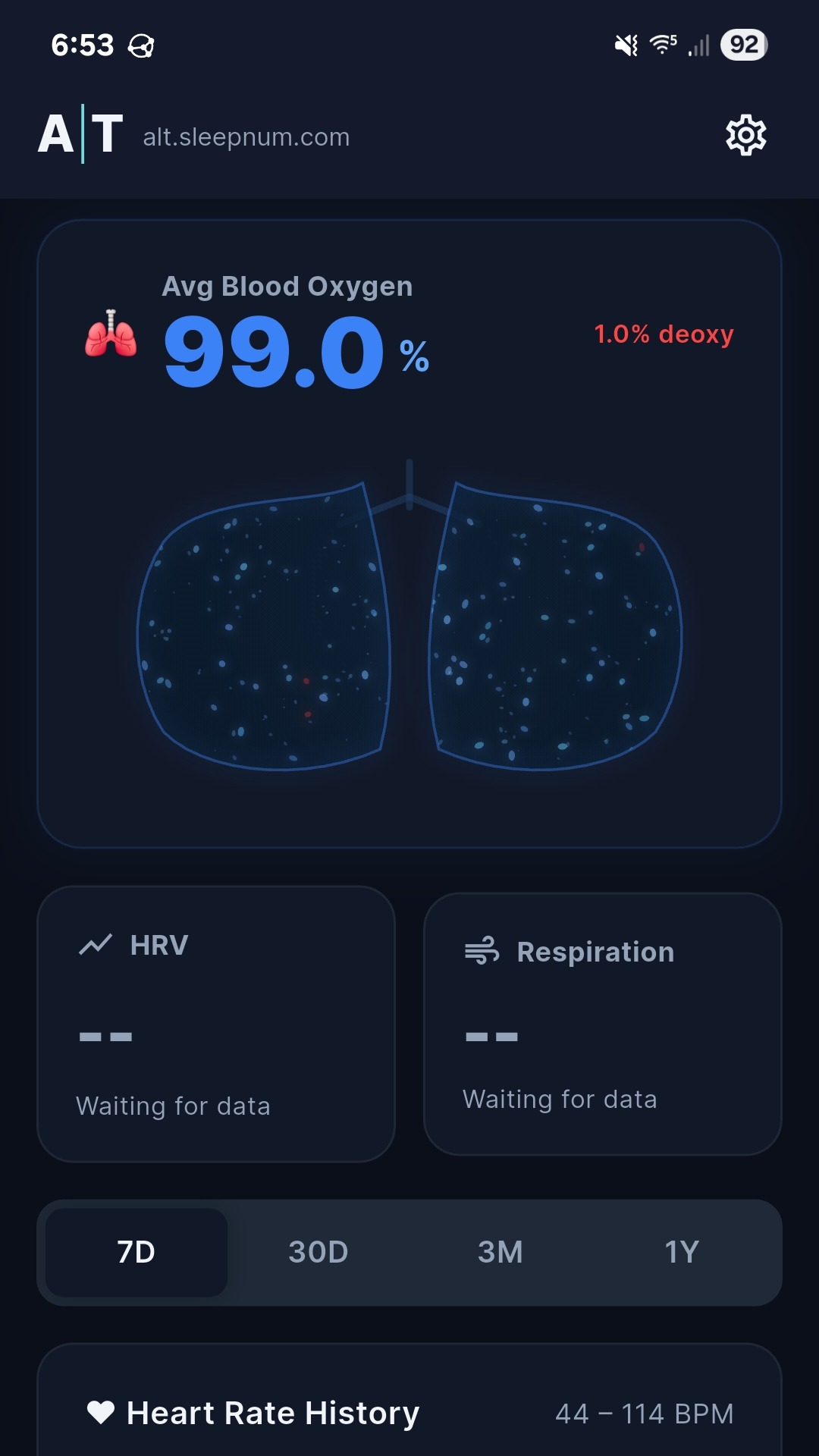
Health SourcesAltSleep 443 and AltSleep 444 are supported A|T Sleep rings. They can report heart rate, blood oxygen trends, battery, and sleep context when worn correctly.
Pair A Ring
Wearing Two Rings
A|T Sleep supports multiple active sources. If two rings are fresh and worn, you should see two current source cards. If only one ring is being worn or returning readings, only that one should appear as current. If neither is fresh, the Sleep tab should show historical averages instead of pretending stale readings are live.
Fit matters: different fingers and hands can read differently, especially if circulation differs. Use the same finger consistently when comparing trends.
5. Connect Oura
Oura IntegrationOura can be added as a cloud health source. Oura may require its own account, app, and subscription from Oura. A|T Sleep uses the access you approve to import supported Oura sleep and wellness data into your A|T Sleep history.
Mobile App Steps
Website Steps
To stop using Oura, open Devices or the dashboard integration area and move the Oura source to the Junk Drawer. Historical data remains part of your history unless a formal deletion request is completed.
6. Bed Controls
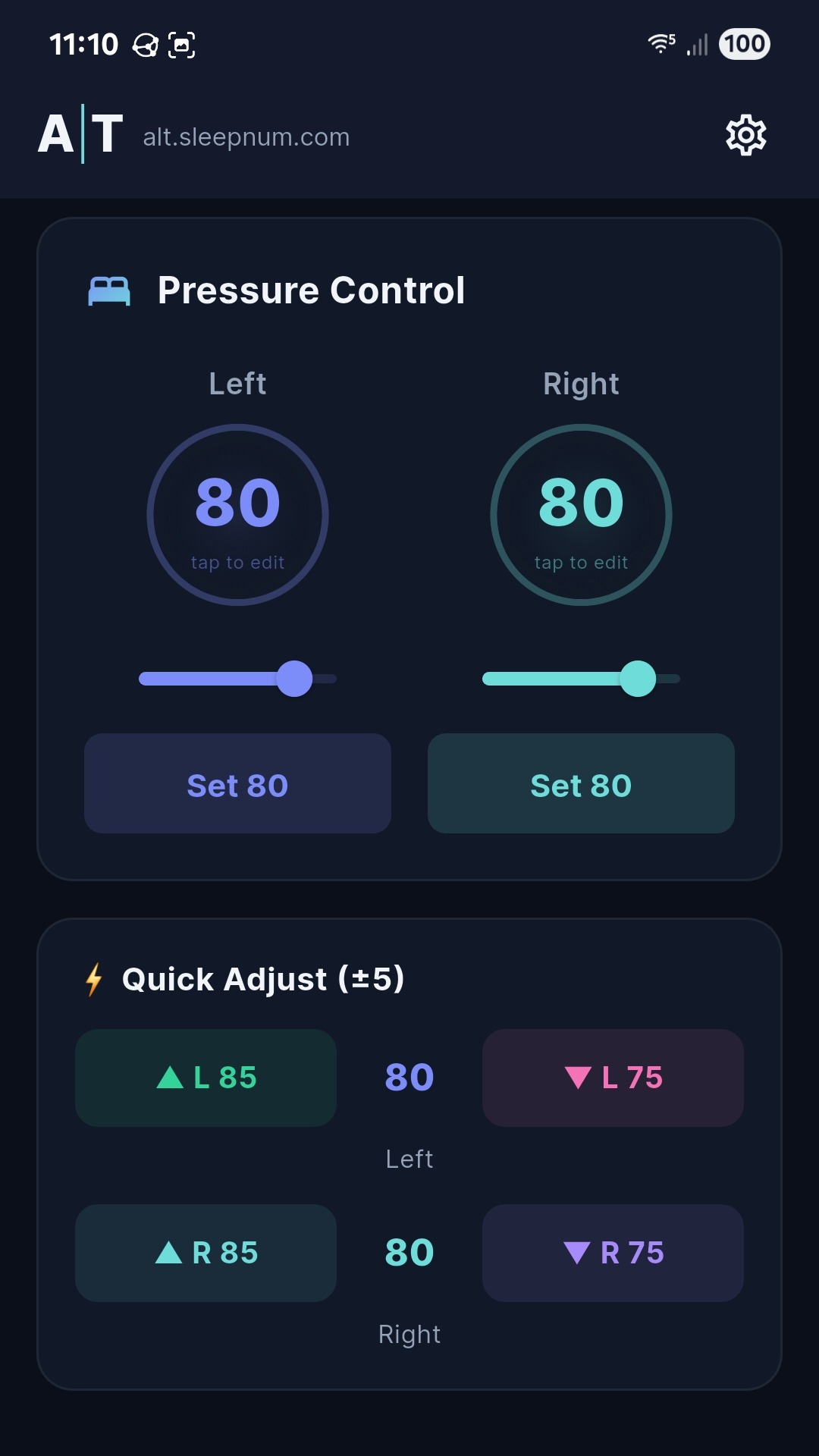
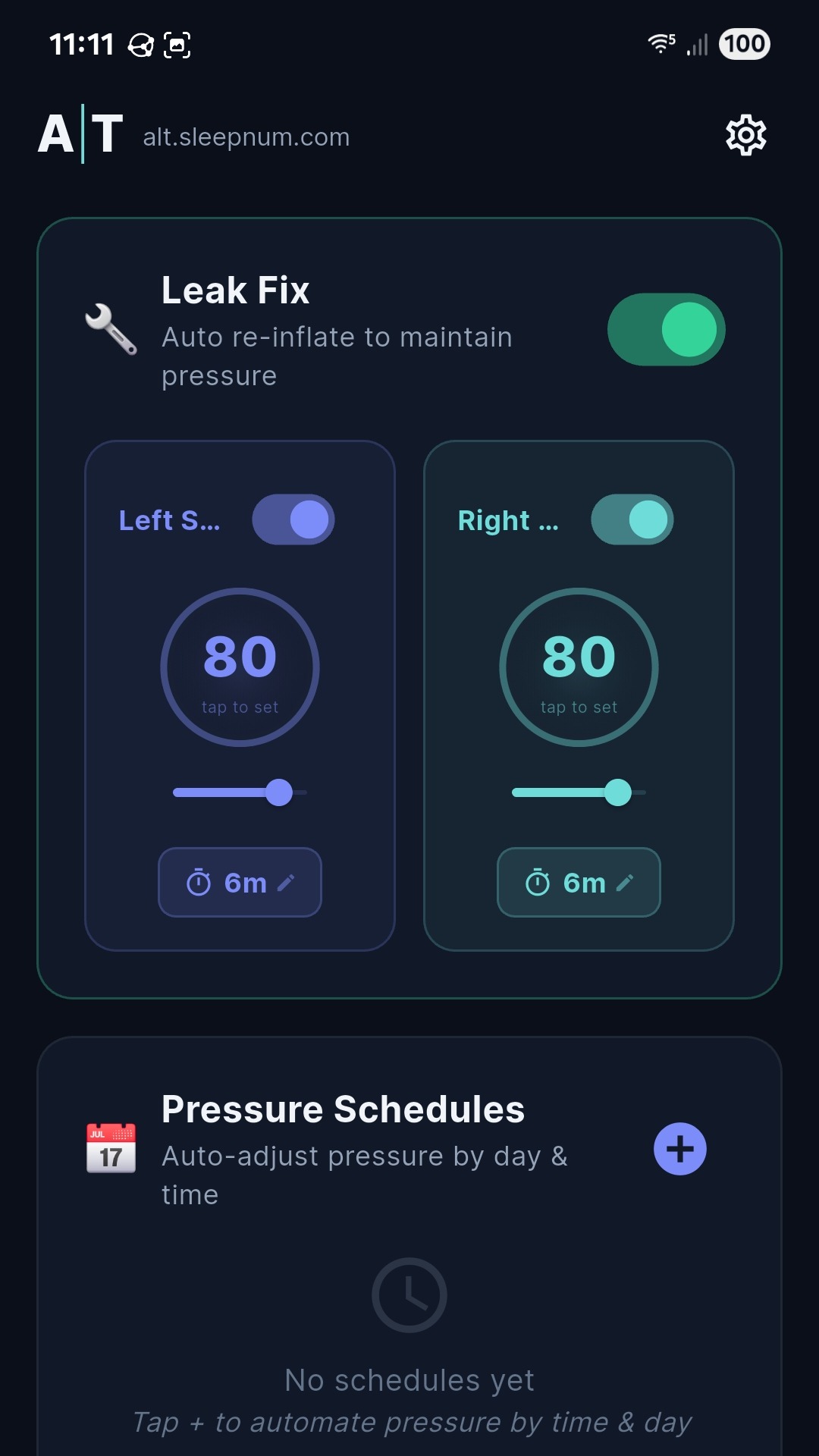
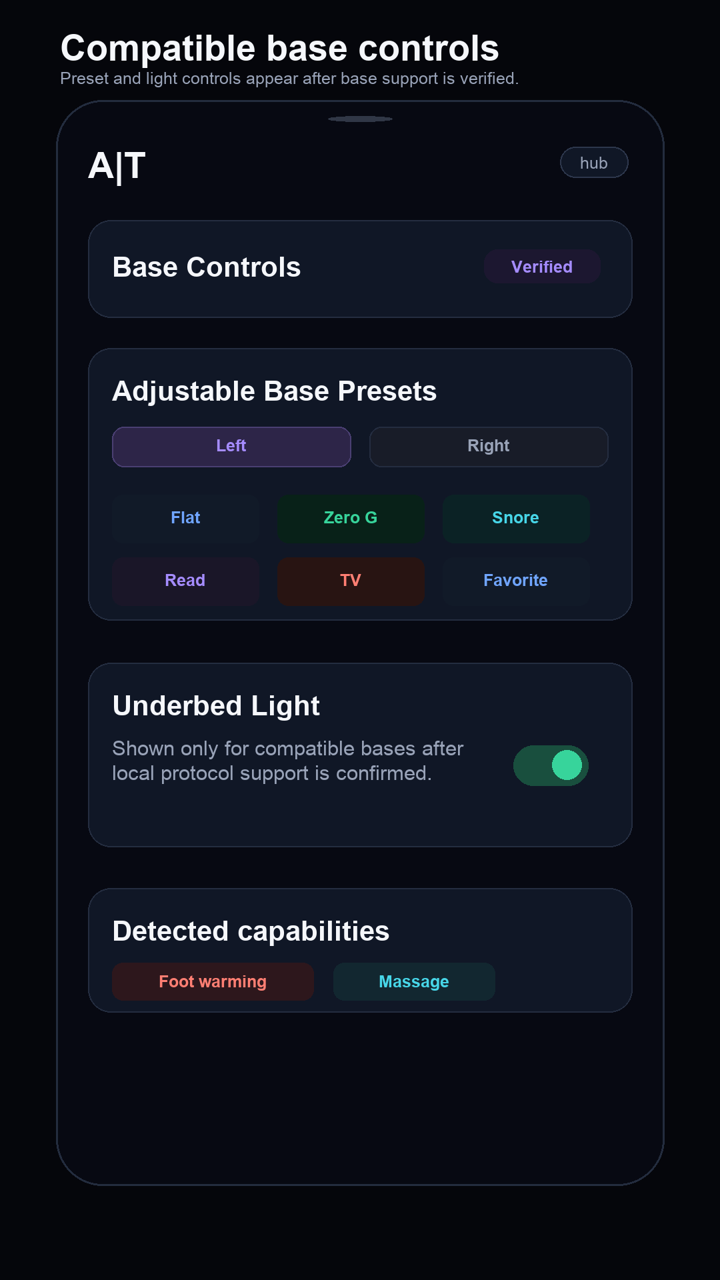
ComfortSleepStax remains the primary hub for bed control, smart inflation, schedules, and unattended leak support. Compatible adjustable-base actions are securely relayed through the registered Android phone when it is near the bed.
Set Bed Pressure
Adjustable Base Presets
Underbed Light And Detected Features
The underbed-light switch appears only when local read/write support is verified. Foot warming and massage are shown as detected capabilities only; write controls remain hidden until their command formats are field-proven.
Safety: A|T never sends guessed adjustable-base position commands. Direct position writes are blocked.
Smart Inflation
Smart inflation helps maintain your comfort setting over time. Use it when your bed slowly loses firmness or when you want A|T Sleep to keep your side closer to your preferred pressure during the night.
7. Sleep Tab
Daily Review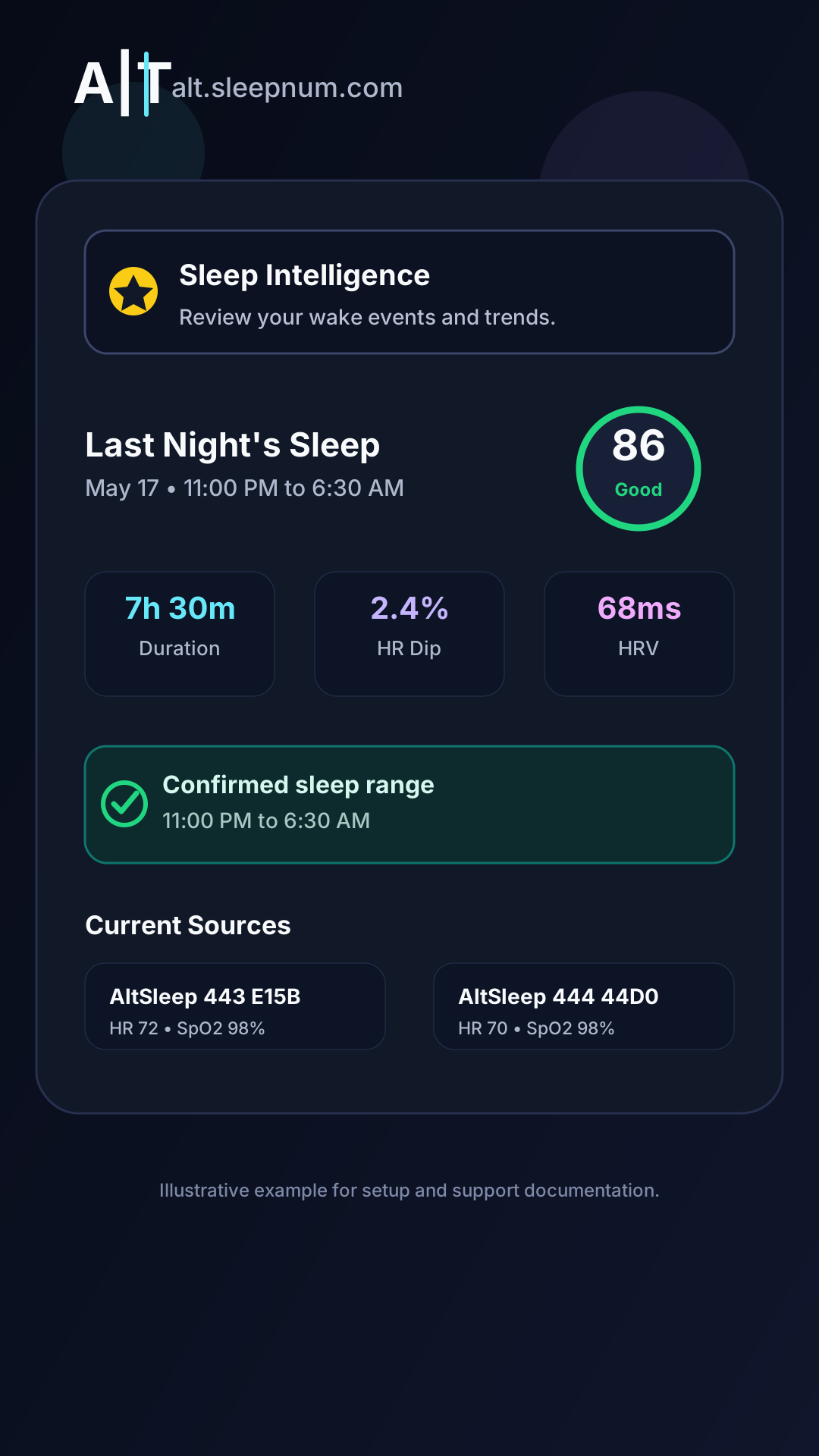
Current Source Cards
Current source cards show health sources that have returned fresh data recently. You may see one ring, two rings, Oura, or historical averages depending on what is active and fresh.
Correct Last Night's Sleep Range
Wake Events
Wake events are grouped so one actual wake-up should not become a pile of repeated alerts. If the app asks you to classify an event, choose the closest label, such as bathroom or turning. Your answers teach A|T Sleep what your normal night looks like.
Naps
Use Take a Nap when you are starting a nap, or Report Nap if you forgot to start one. Naps are kept separate from overnight sleep so your nightly report stays clean.
8. Sleep Intelligence
ReportsSleep Intelligence turns your sleep history, health sources, wake events, symptoms, and profile into plain-language wellness insights. It is designed to help you understand patterns, not diagnose medical conditions.
Symptom Context
If you were sick, had surgery, felt unusually stressed, traveled, or slept somewhere unusual, record that context. If A|T Sleep asks and you are fine, mark that you are fine. This helps prevent a one-day event from polluting future reports.
A|T Sleep is not an emergency alert system. If you feel chest pain, severe shortness of breath, faintness, confusion, or any medical emergency, call emergency services or contact a qualified medical professional immediately.
9. Sources, Accuracy, And Junk Drawer
Data ProvenanceA source is anything that contributes sleep, health, bed, or activity data to your account. A|T Sleep keeps source history attached so old readings remain useful even after a device is retired.
| Source | Accuracy Class | What It Helps With |
|---|---|---|
| AltSleep 443 | ★★★☆☆ Good | Heart rate trends, SpO2 spot trends, sleep context, and source cards. |
| AltSleep 444 | ★★★☆☆ Good | Heart rate trends, SpO2 spot trends, motion-assisted sleep context, and source cards. |
| Oura | Untested by A|T Sleep Labs | Third-party sleep and wellness data imported from your Oura account. |
| SleepStax | Bed control source | Bed pressure, smart inflation, leak support, and bed-side setup. |
Junk Drawer
The Junk Drawer is an archive for sources you are not actively using. Throwing a source in the Junk Drawer keeps your history intact. Restoring a source brings it back into the active area if you use it again.
10. Add A Spouse Or Partner
HouseholdTwo sleepers should have separate profiles and separate health sources. This keeps baselines, alerts, sleep reports, and bed-side preferences from mixing together.
Do not share one ring between people without archiving the old source and setting it up intentionally for the new person. Shared sources can contaminate both users' baselines.
11. Activity And Wellness Trends
Daytime Context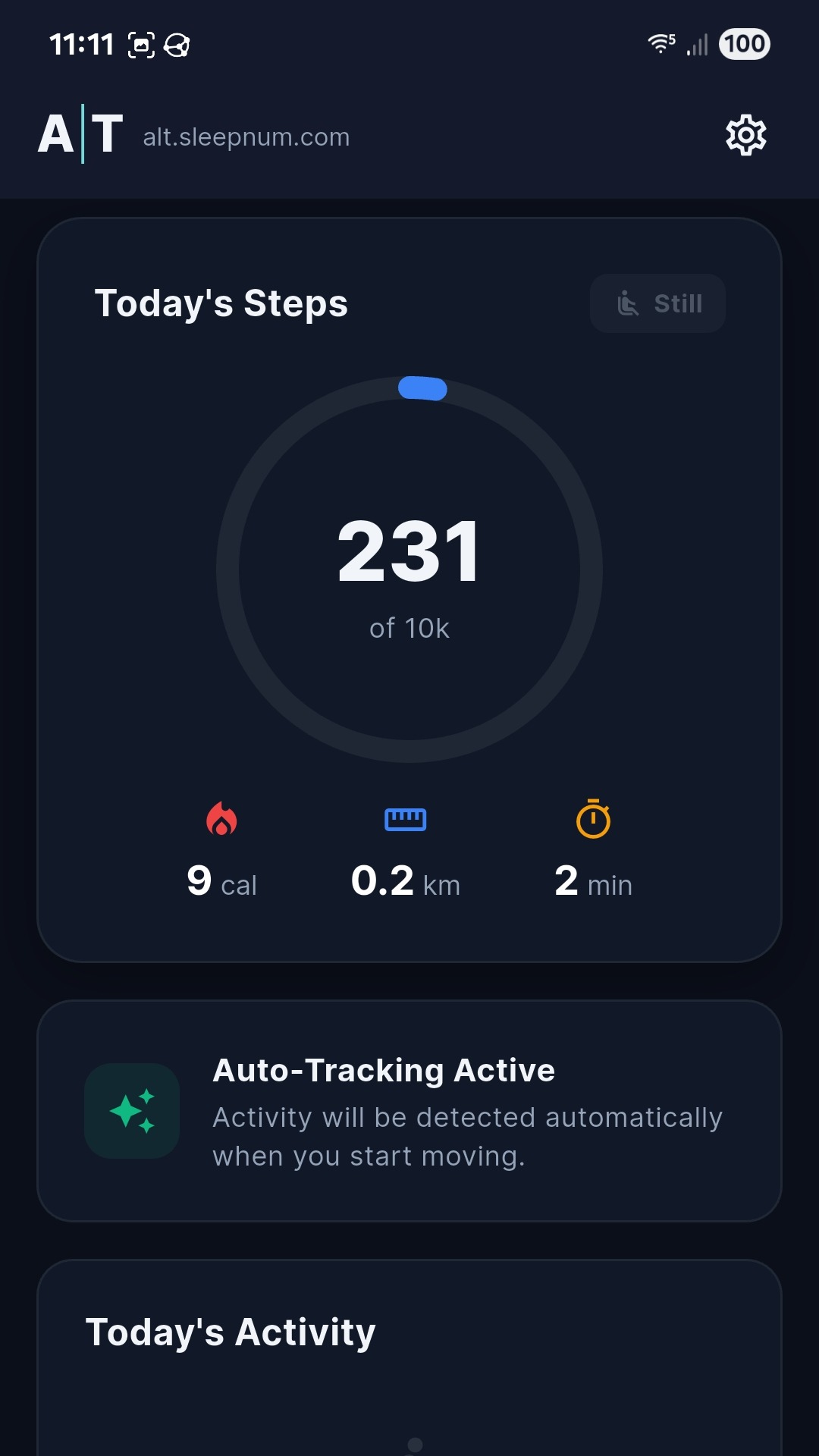
The Activity tab helps connect daytime movement and sleep quality. When the app requests activity permission, approving it lets A|T Sleep include movement context in reports and trends.
12. Alerts And Notifications
WatchfulAlerts notify you when configured wellness thresholds or service conditions need attention. They are meant to keep you informed without making you doubt the system.
Choose thresholds with care. A|T Sleep can show wellness changes, but it is not a substitute for a pulse oximeter, medical monitor, clinician, or emergency service.
13. Website Guide
alt.sleepnum.comHardware Account Setup
New hardware customers complete account, service, and payment setup on the website. The dashboard may ask you to finish your hardware account before showing the full dashboard. Complete those prompts first, then use the mobile app with the same login.
Prepaid billing: there is no service grace period. A failed renewal suspends paid features and receives one retry about 24 hours later. After a second failure, service lapses and website reinstatement requires the current plan price plus the displayed reinstatement fee. Diagnostics, firmware/security maintenance, account recovery, and the website billing link remain available while paid controls are suspended.
Website Oura Connection
Sign in to the dashboard, find Integrations, and choose Connect Oura. After approving access through Oura, return to the dashboard and wait for the first sync.
Website Sleep Intelligence
The dashboard shows generated reports, recent sleep summaries, trends, and profile context. Use it when you want a larger screen than your phone.
14. Troubleshooting
SupportNo Current Ring Data
SleepStax Is Offline
Sleep Time Looks Wrong
Use Correct sleep range on the Sleep tab. A corrected bedtime and wake time teaches the system and prevents a bad night from damaging your baseline.
15. Privacy, Safety, And Legal Notes
Read ThisA|T Sleep stores sleep and wellness history so trends can improve over time. Keep your account login private and use the same account across the app and website.
- A|T Sleep is a wellness platform, not a medical device.
- A|T Sleep does not diagnose, treat, cure, or prevent any medical condition.
- If you have medical concerns, talk to a qualified healthcare professional.
- If you have a medical emergency, call emergency services immediately.
- Oura is a third-party service and may require its own account, app, and subscription.
- Sleep Number is a registered trademark of Sleep Number Corporation. A|T Sleep, AltSleep, and SleepStax are independent and are not affiliated with, endorsed by, or sponsored by Sleep Number Corporation.
For privacy details, see Privacy Policy. For account deletion requests, see Data Deletion Request.